Rules Page
The Rules are first level of static intelligence based on MeData value assertions. A Rule contains a MeData-based condition and an action to be executed when the condition is met. Evaluation of rules can be triggered explicitly by the host app or automatically by the SDK itself.
The Rules page displays Rules table. On this page you can:
- Create a Rule by clicking the plus button on the top right corner of the table
- Edit a Rule either by double clicking on it in the table or by clicking 3 dot icon in its row and clicking 'Edit' in the context menu
Rule Editor
The editor lets you create a new or edit an existing Rule. A Rule has following fields:
Programmatic Name: a language-independent (programmatic) name to be used by native code or scripts via IntelligenceService.Display Name: a human language name for display purposesDescription: an optional descriptionEvaluation: specifies when this Rule will evaluated and its action will be performed if its condition is met: either explicitly when called by native code or scripts or automatically by SDK on every initCondition: combination of MeData value assertionsAction: an action to be executed when condition is met
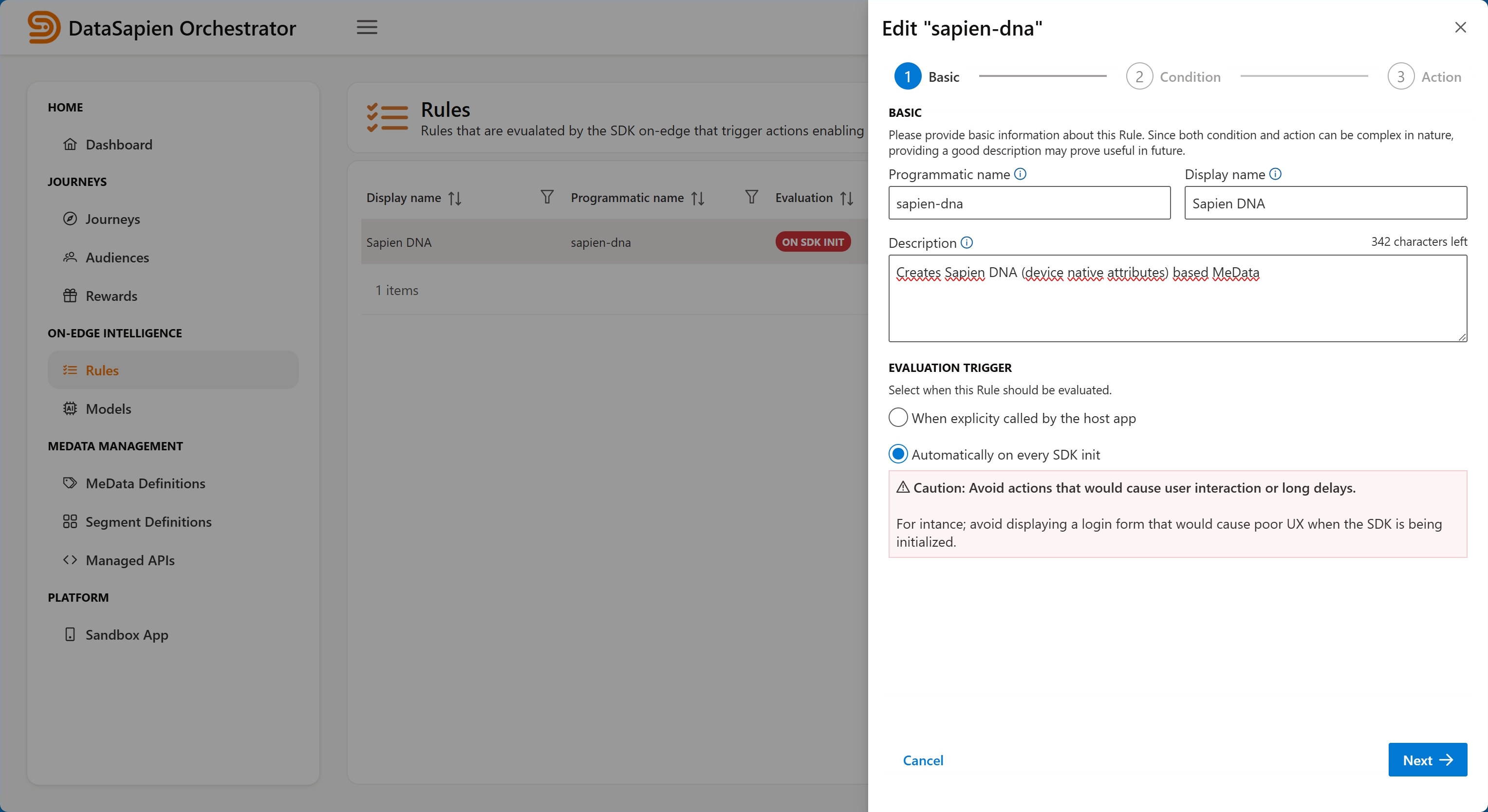
Rule Editor
Evaluation Trigger
The trigger specifies when the Rule (its condition) should be evaluated. It can be one of:
Explicit: This is the default value and designates the Rule to be evaluated when called by the host appOn SDK Init: Designates rule the Rule to be evaluated automatically on SDK init
Make sure that your specified action would not cause user interaction or long delays when On SDK Init is selected.
Rule Condition
A Rule condition is a (possibly nested) logic combination of MeData value assertions. MeData value assertions are built exactly same as Segment Definitions: select a MeData Definition, select an operator (EQUALS; LESS_THEN etc) in accordance with its data type and provide a value.
Different from Segment Definitions that allow creating a single MeData value assertion; Rules allow for using nested logical combinations of them. Rule conditions can use multi-level nested and complex MeData value assertions. For example:
["Gender" EQUALS "Male"]
AND
(
["Age" GREATER_THAN 35]
OR
["Age" LESS_THAN 18]
)
Rule Actions
DataSapien Mobile SDK periodically checks and fetches Rules from the Orchestrator, similar to the way it performs checks for MeData & Segment Definitions.
Rules are evaluated on-edge by the Mobile SDK and when/if their MeData based condition is met, the action specified by the Rule is executed. Action can be:
Local Notification: Displaying a local notification on user deviceScript Execution: Executing a script with possibility of triggering on-edge intelligenceCall host app: Calling host application by invoking registered callback which allows host application to act accordingly