MeData Definitions Page
MeData Definitions specify which data points are to be collected by the Mobile SDK. A MeData Definition, as the name implies, defines the source and the allowed values of a data point to be collected by the Mobile SDK and processed in the platform.
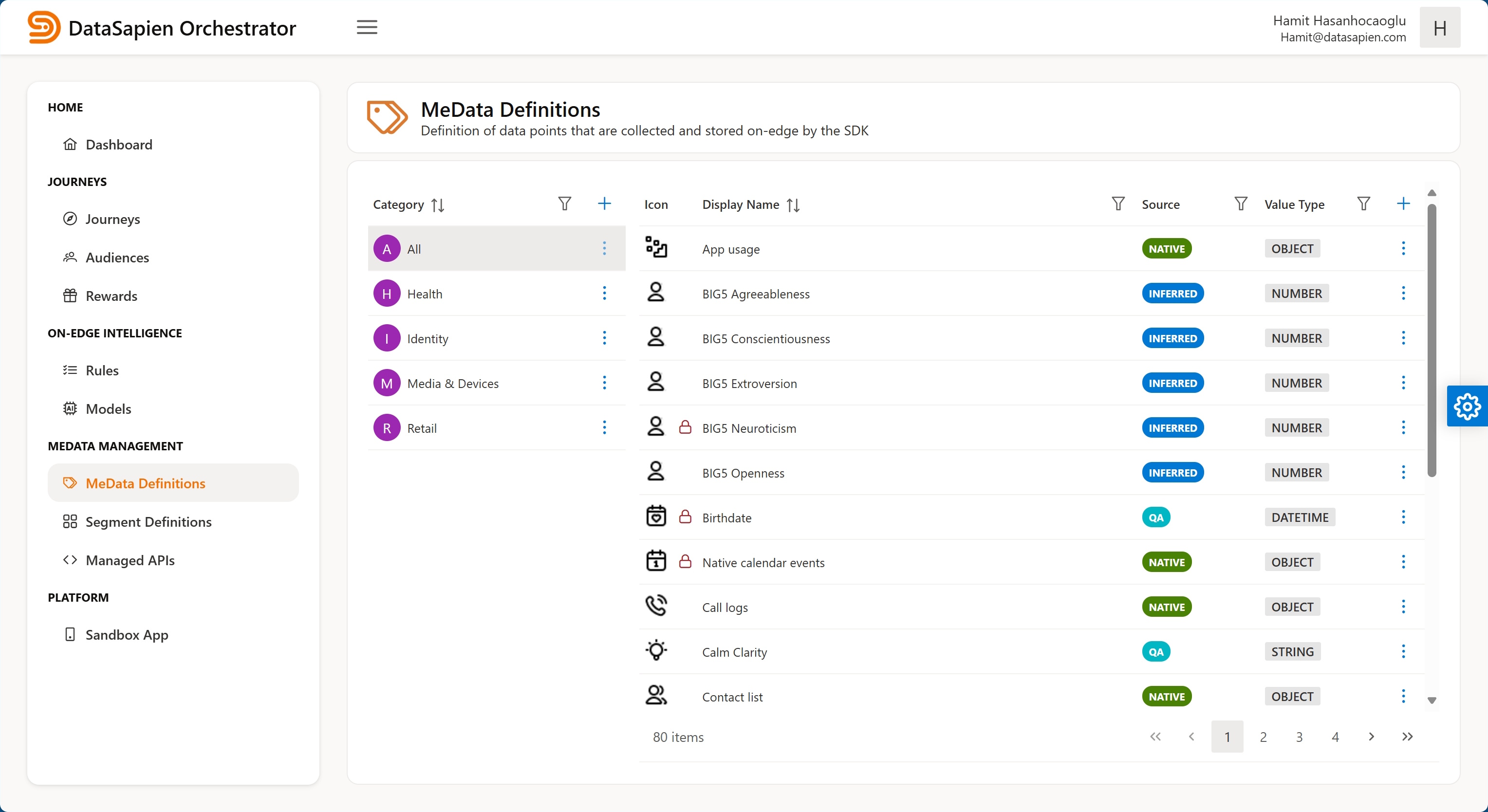
MeData Definitions page
The MeData Definitions page displays categories list and MeData Definitions table. On this page you can:
- Create a category by clicking the plus button on the top right corner of the categories list
- Edit a category by clicking on 3 dot icon and clicking 'Edit' in the displayed context menu
- Create a new MeData Definition by clicking the plus button on the top right corner of the MeData Definition table
- Edit a MeData Definition either by double clicking on it in the table or by clicking 3 dot icon in its row and clicking 'Edit' in the context menu
MeData Definition Editor
The editor lets you create a new or edit an existing MeData Definition. A MeData Definition has following fields:
Source: a Source selected from available onesProgrammatic name: a language-independent (programmatic) name to be used within scriptsDisplay name: a human language name for display purposesDescription: an optional descriptionIcon: a small icon to represent it visuallySharable: whether MeData is sharable or notValue Type: a Value TypeEnumerated: iftrue, the value must be one of the defined 'Enum Values'Enum values: a list of predefined values, each value has following fields:Programmatic name: a language-independent (programmatic) name to be used within Journeys and scriptsLabel: a human language name for display purposesImage: an image that will be displayed along with the text
Allow none: iftrue, 'None of listed' is allowed as a value in addition to provided value listAllow IDK: iftrue, 'I dont know' is allowed as a value in addition to provided value listAllow other: iftrueuser is allowed to provide a freeform input
Multivalued: Iftrue, MeData may have multiple values, in other words it can have array of valuesStorage: settings regarding on-device storage of collected values
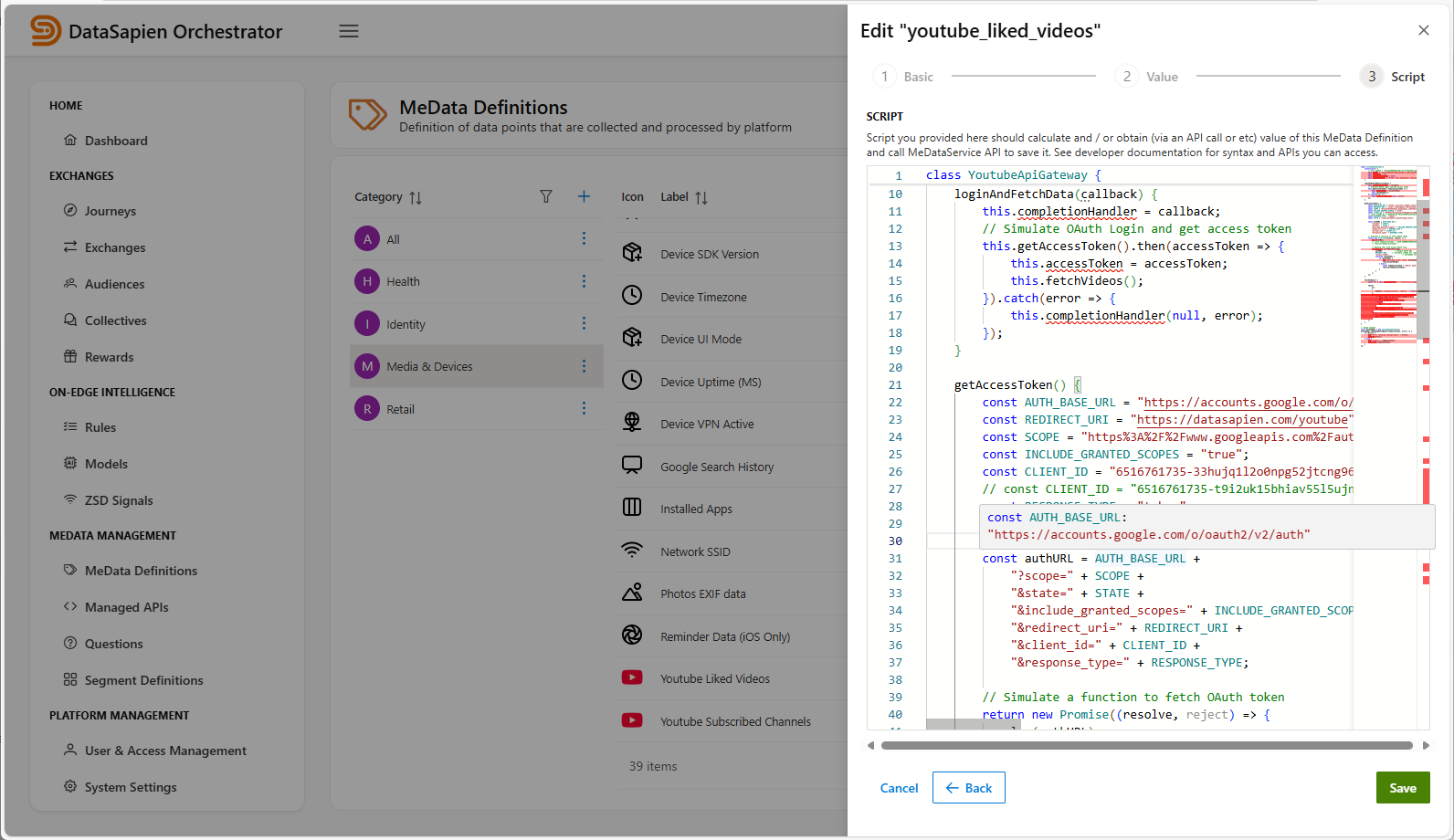
A "Script" sourced MeData Definition
MeData Sources
Each MeData Definition points to a Source in terms of the value collection / access method:
Native, requires native code provided out of the box by the DataSapien Mobile SDK to be executed to access device hardware, mobile OS, installed apps and native APIs provided by those. You can not create Native sourced MeData Definitions on the Orchestrator.Question, requires a Question to be displayed in the app UI, you need to define the details of the question such as its title, text, whether the user should select from a predetermined list of values are provide a free form answer.Script, requires a script to be executed, you need to author the script to be executed on-device.Inferred, requires an external piece of logic to provide the value for the MeData Definition. For instance; your host app can provide the value of the MeData Definition or a script step in a Journey can calculate the value and save it explicity.
Native sourced definitions are predefined in the platform. For instance; "Device Language" and "Mobile Operator" are native definitions and their values are collected using native iOS / Android APIs.
Note that regardless of its source, collection of the MeData can trigger a UI to be displayed. For instance; a script sourced definition can cause a login form to be displayed assuming that it is consuming a web API that requires authentication. As another example, health related native MeData Defitions accessed via Apple HealthKit and Google Health Connect will display a native permission screen on iOS and Android devices.
The DataSapien Mobile SDK supports a rich set of native sourced MeData Definitions. Contact us to request a new one.
Sharable
Journeys make use of MeData Definitions to access their on-edge collected values within Journey execution. When a MeData Definition is marked as sharable, you can request the collected value to be sent to backend as Zero-Party Data at the end of the Journey execution. Otherwise Journey Editor will not allow you to select the MeData to be sent to backend.
Value Type
A Value Type specifies the data type and related constraints for the value of the MeData to be collected. Having a well-defined value type, with managed constraints, allows:
- Safe usage of MeData Definitions eg when creating Segment Definitions based on them.
- Error-free programmatic processing of MeData (including AI).
A Value Type consists of:
Data Type: type of value for this MeData, one ofstring,number,boolean,datetime,image,video, and listed complex objects (eg "Location", "Calendar Entry" etc)- Value Constraints: defines constraints that value must obey
Min value: allowed minimum value for numeric and datetime typesMax value: allowed maximum value for numeric and datetime typesRegex: allowed format for string typeAllow camera: iftrue, taking pictures with camera should be enabled for image typeAllow gallery: iftrue, picking an image from gallery should be enabled for image type
Storage Settings
The Mobile SDK stores collected values for MeData Definitions on-edge. Storage settings consists of:
Stored value count: this specifies number of values to be stored, when this count is reached, the Mobile SDK will discard oldest one to make room for the new valueStore only if value changes: when enabled the Mobile SDK stores new value only if it is different from previous one